Qualifier Plus IIIx
- 4.8
- Rating
- 10.00K
- Installs
- Free
- Price

 Analysis by App-foxy
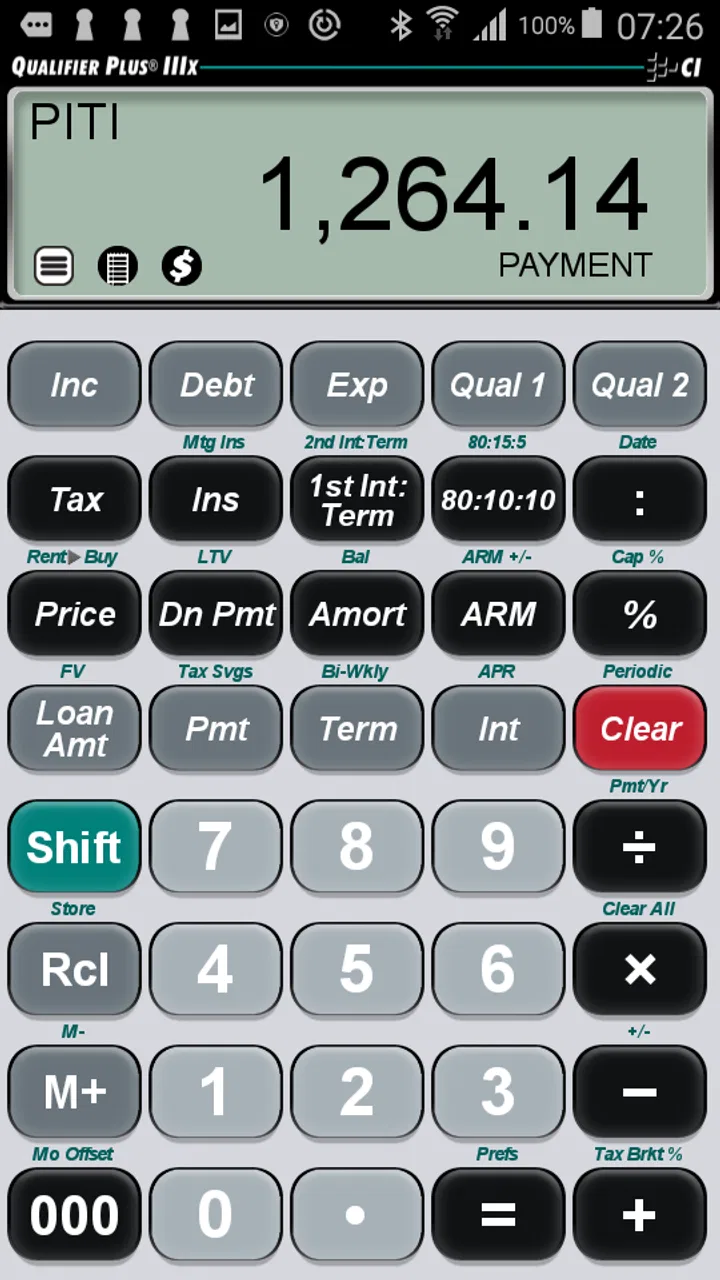
When I need to check a mortgage payment without opening a spreadsheet, I prefer a tool that stays focused on the calculation instead of surrounding it with unrelated financial features. Qualifier Plus IIIx takes that narrow approach. It is a business app from Calculated Industries built around mortgage payment calculations, and in my experience that focus makes it useful for quick comparisons, especially when I am discussing a property, checking a loan estimate, or trying to understand how a change in the terms affects the monthly payment.
The app is free to install, although it includes in-app purchases ranging from $0.49 to $29.99 per item. That combination matters: you can try the basic experience without committing money first, but you should still pay attention to which functions are available in the version you use. It is rated for Everyone, runs on Android devices using at least Android 6.0, and the current version is 10.4.11. Those details make it accessible to many people, though the experience is still designed more for someone who wants a dedicated calculator than for a beginner looking for a complete home-buying guide.
Starting with a dependable mortgage calculation
My baseline workflow is simple. I begin with the figures I already know, enter the loan information, and use the result as a working estimate rather than treating it as a final lending decision. That distinction is important. A mortgage calculator can show the effect of the loan amount, interest rate, and term, but the number on the screen is only as useful as the figures entered. If the rate, fees, insurance, or taxes are handled elsewhere, I keep those separate instead of assuming the displayed payment represents the entire cost of owning the home.
You May Also Like

 AccuWeather: Weather Radar
AccuWeather Review: A Quick, Clear Forecast for Everyday Decisions
For everyday plans, the best forecast is the one you can understand quickly. AccuWeather makes rain timing, radar, and local conditions easy to act on, with a few trade-offs.

 Hill Climb Racing
Why Hill Climb Racing Still Turns Crashes Into One More Run
A tiny car, a bumpy hill and one more upgrade: Hill Climb Racing keeps resurfacing because its simple chaos makes every near-miss feel personal.

 AliExpress - Shopping App
AliExpress Makes Global Shopping Feel Personal, but Shoppers Bear the Risk
AliExpress turns a global marketplace into a pocket-sized discovery engine. Its reach is useful, its shopping loop compelling, and its trade-offs easy to miss.

 Lords Mobile: Kingdom Wars
Lords Mobile Is a Kingdom-Building Routine, Not a Quick Match
A case-by-case verdict on the building, battles, device demands, and social commitments that make Lords Mobile rewarding for some players and exhausting for others.

 PDF Scanner app - TapScanner
TapScanner Makes Paperwork Easier to Capture, Check, and Share
TapScanner makes scanning with a phone feel less like a rescue operation and more like a dependable step in getting work done. Its capture tools are useful, though not flawless.

 Block Blast!
Block Blast! Shows How Much a Puzzle Game Can Leave Out
A quiet grid game shows why puzzle players increasingly value instant clarity, repeatable skill and low-pressure play—and where the genre still needs to catch up.
More From Our News Desk
View All News


This is where the app feels more practical than a general-purpose calculator. A standard calculator can multiply and divide, but it does not naturally organize a mortgage question. With a dedicated tool, I can think in terms of the loan itself: what payment follows from a particular amount, how a different rate changes the result, or whether a longer repayment period makes the monthly figure easier to manage while increasing the overall burden. The value is not just arithmetic; it is having a repeatable place to ask the same financial question.
I find that repeatability is especially helpful during property searches. Suppose I am comparing two homes with different prices. I can run the first scenario, note the result, then change only the loan amount for the second. That keeps the comparison cleaner than changing several numbers at once. If I also change the rate or term, I write that down clearly, because otherwise it is easy to mistake a lower payment for a genuinely cheaper loan. The app supports this kind of disciplined habit even when the user has to supply the discipline.
Another useful routine is to calculate a comfortable scenario and a difficult scenario rather than looking at one optimistic number. I might use the rate I expect to receive, then test a less favorable rate to see whether the budget still works. This is not a prediction of what a lender will offer; it is a way to expose how sensitive the payment is to the assumptions. A mortgage calculator becomes much more valuable when I use it to examine a range of possibilities instead of searching for one reassuring answer.
The app is also suited to conversations where speed matters. If a friend asks whether a price increase would make a home unaffordable, I can work through the change directly instead of opening a full budgeting program. For a real-estate professional, contractor, or loan-focused user, that quick response can be more convenient than navigating a broad financial app. For someone who wants tax planning, household budgeting, debt tracking, or investment projections in the same place, the narrow scope may feel limiting.
What I check before trusting the result
I treat the first calculation as a baseline, not a conclusion. Before comparing results, I make sure the loan amount is the amount I actually intend to finance rather than the purchase price by itself. A down payment changes the financed amount, and fees may also affect the amount borrowed. This sounds obvious, but it is one of the easiest ways to create a misleading comparison in any mortgage calculator.
I also keep the payment definition in mind. A displayed mortgage payment may focus on principal and interest, while a lender’s estimate can include other recurring costs. Property taxes, homeowners insurance, mortgage insurance, association dues, and one-time closing expenses can all affect the real budget. I do not use the app as a replacement for a formal loan estimate. I use it to understand the loan portion and then add the other costs separately when I need a household-level view.
That separation gives me a useful two-stage workflow. First, I use the app to compare loan structures. Then I place the result beside the non-loan expenses in a note or budget. Keeping those stages distinct makes it easier to see whether a payment is lower because of a better rate, a longer term, a smaller loan, or simply because important costs were left outside the calculation.
Settings and habits worth checking
Experienced users should spend a little time reviewing the calculator’s available settings before relying on it for repeated work. The most important checks are the ones that affect how figures are entered and displayed. I want to know whether the calculator is using the rate, term, and payment assumptions I intended, and I pay attention to the way values are rounded. A rounded display is convenient for a quick conversation, but I avoid carrying rounded figures into a detailed comparison when a small difference could influence the decision.
I also recommend creating a personal entry order and sticking to it. For example, I enter the loan amount first, then the interest rate, then the repayment term, and finally inspect the payment. The exact order is less important than consistency. When I repeat the same sequence, I am less likely to leave an old value in place or accidentally compare a new loan amount with an earlier rate. This is a small habit, but it prevents the kind of silent mistake that a polished interface cannot catch.
Before sharing a result, I check the units and time periods carefully. Mortgage figures can be misunderstood when a user thinks in annual terms but reads a monthly result, or when a term is interpreted differently from the lender’s wording. I do not assume that a familiar-looking number is correct just because it appears reasonable. I read the labels, confirm the inputs, and then record the assumptions beside the result.
One of my favorite practical habits is to save a short written label for every scenario outside the calculator. I might call one “smaller down payment” and another “shorter term,” then note the figures used. The app is excellent for performing the calculation, but it should not be expected to serve as a complete document-management system. A simple naming habit turns a series of quick calculations into a usable comparison instead of a collection of unexplained numbers.
The current version, 10.4.11, is the one I would use when testing the app today, but I still recommend checking the calculation screen after installation rather than assuming that every device presents it identically. Android phones differ in screen size and keyboard behavior. On a smaller display, entering several financial values can feel more cramped, and I take an extra moment to verify each field before moving on.
Faster patterns for repeated comparisons
The fastest reliable pattern is to change one variable at a time. If I want to understand the effect of the interest rate, I hold the loan amount and term steady. If I want to compare terms, I restore the original rate before changing the duration. This produces a clearer answer than changing the price, rate, and term simultaneously. It also gives me a better explanation when someone asks why the payment moved.
A second pattern is to begin with a reference case. I enter the scenario that most closely matches the lender’s discussion or the buyer’s current plan, record the result, and then create alternatives from that baseline. Without a reference case, it is easy to make a series of changes and lose track of which version was the starting point. With one, every later calculation has a meaningful point of comparison.
I use the app particularly well for “what if” questions that are too specific for a generic online article. What if the purchase price rises but the down payment stays fixed? What if the buyer chooses a longer term to protect monthly cash flow? What if the interest rate is slightly higher than expected? These questions do not require a full financial plan, but they do require careful input control. The app makes the calculation part quick enough that I can focus on interpreting the trade-off.
There is also a useful negotiation habit here. When discussing affordability, I do not present only the lowest payment. I compare the lower monthly obligation with the longer commitment or higher total cost associated with it. A longer term can make a property appear easier to carry each month, but that does not automatically make it the better financial choice. The calculator helps reveal the payment side of that decision; I still need to consider the broader consequences.
For professionals who perform similar calculations throughout the day, a consistent routine is more valuable than clever shortcuts. I keep the app available, use the same sequence, write down the assumptions, and clear or replace old values deliberately. That approach reduces rework and makes the results easier to explain to a client. It also avoids inventing confidence from a number whose inputs were not documented.
Where the calculator reaches its limits
The biggest limitation is scope. This is not the right choice if I want a complete household affordability analysis in one screen. It does not replace a budget that includes groceries, utilities, transport, maintenance, taxes, insurance, and emergency savings. A mortgage payment can fit a mathematical formula and still be uncomfortable in real life. For that decision, I pair the app with a budget tool or a simple worksheet.
It is also not a substitute for a lender’s official figures. Lenders may use assumptions, fees, insurance requirements, and qualification rules that a standalone calculator does not represent in the same way. I use the app to test scenarios before a formal conversation, not to challenge a document without checking how each figure was produced. If the numbers disagree, I investigate the assumptions instead of choosing whichever result looks better.
Beginners may find the focused design less forgiving than a guided mortgage website. A guided service often explains terms as the user moves through the form and may combine the payment with broader cost estimates. Qualifier Plus IIIx is better for someone willing to understand the inputs and verify the output. If I were helping a first-time buyer who did not yet know the difference between purchase price, financed amount, and total monthly housing cost, I would explain those concepts first and use the app as a learning aid rather than handing it over as the whole solution.
There is another trade-off between speed and record keeping. The app is convenient for live calculations, but I would not rely on memory to preserve a complicated comparison. If I need to revisit the decision later, I record each scenario immediately. That extra step is not a flaw in the mortgage formula; it is simply the practical boundary between a calculator and a planning system.
The free price makes experimentation easy, but the presence of optional purchases means I would check the available functions before building a workflow around one of them. I would not pay automatically just because an advanced option appears. I would first confirm that it solves a problem I actually have, such as repeated professional use or a more specialized calculation need. Casual users may get everything they need from the accessible portion, while frequent users should judge the purchase by time saved rather than by the promise of having more buttons.
Who should use it, and who should skip it
I recommend this app to people who regularly compare mortgage scenarios and want a dedicated calculator close at hand. It is a good fit for a buyer visiting properties, a real-estate worker discussing payment changes, or anyone who understands basic loan terms and wants quick calculations without opening a browser. The strong user response—an average rating of 4.8 from over 385 ratings—also suggests that its focused purpose resonates with the people who choose it.
Its reach is modest, with over 10 thousand installs, but that does not bother me for a specialist utility. A mortgage calculator does not need to be a social platform to be useful. What matters is whether it gives the intended user a dependable way to test loan assumptions. The Everyone age rating also makes it broadly approachable, although the subject itself is more relevant to adults making financial decisions.
I would skip it if I wanted mortgage education, lender matching, automatic account connections, or a full personal-finance dashboard. I would also choose a broader budgeting app when my main question is whether the entire household can manage a home, rather than how one loan structure changes the payment. The best alternative depends on the question: this app is strong for focused calculation, while a spreadsheet or budgeting tool is better for combining many categories and documenting a long-term plan.
Calculated Industries has kept the product centered on its calculator identity, and that is both its strength and its boundary. I do not open it expecting a guided home-buying journey. I open it when I already have a scenario and want to examine the mortgage mechanics quickly. That clarity helps me avoid asking the app to solve a problem it was not designed to solve.
My verdict after using it as a working tool
After using Qualifier Plus IIIx as a mortgage comparison tool, I see it as a practical specialist app rather than an all-purpose finance companion. Its best quality is concentration: it lets me move from a loan question to a calculated payment without unnecessary detours. The most reliable results come when I pair that speed with careful input checks, one-variable comparisons, and written notes about each scenario.
The app is free to start, supports older Android devices from Android 6.0 onward, and comes from Calculated Industries, a developer associated here with a focused business utility rather than a broad lifestyle product. Its current version is 10.4.11, and the high average rating gives it a reassuring first impression. Still, I would judge it by fit, not by the rating alone. A dedicated mortgage calculator is valuable only when its focused workflow matches the user’s needs.
My final recommendation is straightforward: use it when you want to understand how mortgage inputs affect the payment, especially during quick property comparisons or early planning. Check the assumptions, keep taxes and insurance separate when appropriate, and do not mistake a calculator result for an official loan estimate or a complete affordability decision. The smartest way to use it is as a disciplined comparison instrument, not as the final authority on what you can afford.
For that role, it earns a place on my phone. It is quick enough for everyday questions, focused enough for repeatable habits, and honest about its value when I use it within its limits. If your needs extend beyond mortgage calculations, pair it with a budget or planning tool. If your goal is to compare loan scenarios clearly and efficiently, this is one of the more direct options I would recommend trying.
FAQs for Qualifier Plus IIIx
01What is Qualifier Plus IIIx, and who is it designed for?
Qualifier Plus IIIx is a specialized calculator app designed primarily for students and professionals working with algebra, finance, statistics, and other technical calculations. Its layout and functions are based on the Qualifier Plus IIIx handheld calculator, so it may feel especially familiar to users who already know the physical device. It is more suitable for structured mathematical work than for casual everyday calculations.
02What calculations can I perform with Qualifier Plus IIIx?
The app is intended to reproduce the main capabilities of the Qualifier Plus IIIx calculator, including standard arithmetic, percentages, powers, roots, fractions, and various financial or algebra-related operations. Depending on the version and platform, available functions may also include statistical tools, equation-solving features, and conversion options. Users should check the current store listing to confirm the exact functions supported by their device.
03Is Qualifier Plus IIIx easy to use on a smartphone or tablet?
The app is relatively straightforward if you are familiar with calculator notation, but new users may need time to learn its specialized keys and multi-step functions. The interface imitates a dedicated calculator, which provides access to many controls without navigating menus. However, the number of buttons and technical terminology can feel crowded on smaller phone screens, while tablets generally offer a more comfortable experience.
04Does Qualifier Plus IIIx require an internet connection?
For normal calculations, Qualifier Plus IIIx is generally intended to work as a standalone calculator, meaning an active internet connection should not be necessary after installation. This makes it useful for classrooms, offices, travel, or situations where connectivity is limited. Internet access may still be required for the initial download, licensing checks, updates, or store-related services, depending on the Android or iOS version.
05Is Qualifier Plus IIIx free to download, and are there any limitations?
The availability and pricing of Qualifier Plus IIIx can vary between Android and iOS, as well as by region and store policy. Some versions may require a one-time purchase, while others could use a different payment model. Before downloading, review the official listing for the current price, supported operating-system versions, in-app purchases, privacy information, and any limitations compared with the physical Qualifier Plus IIIx calculator.
Pros
- Supports advanced scientific calculations and complex formulas.
- Includes graphing tools for visualizing equations and functions.
- Works offline
- making it useful without an internet connection.
- Offers multiple modes for different mathematical and engineering needs.
- Clear layout helps experienced users access functions quickly.
Cons
- The interface can feel dated compared with newer calculator apps.
- Advanced features may be overwhelming for casual users.
- Some functions require careful input to avoid calculation errors.
- Limited appeal if you only need basic arithmetic operations.
- May take time to learn without reading the built-in documentation.

Qualifier Plus IIIx
Gallery